Getting more advertisers to use a new AI product
Context
Video generation is a new AI product in Ads Manager. It turns an advertiser's product images into short video ads with scenes, text overlays, and music. It generates several video concepts at once, each built around a different story or video template (think: "get ready with me" video).
Video concepts start generating as soon as an advertiser lands on the product and take about 13 seconds. We displayed a loading screen while advertisers waited, which followed existing Ads Manager design patterns, but 82% of advertisers left the product before even seeing a single generated video.
My product design partner and I designed a new loading screen experience that raised clicks to generate videos by 44% and overall adoption of generated videos by 67%.
Initial experience
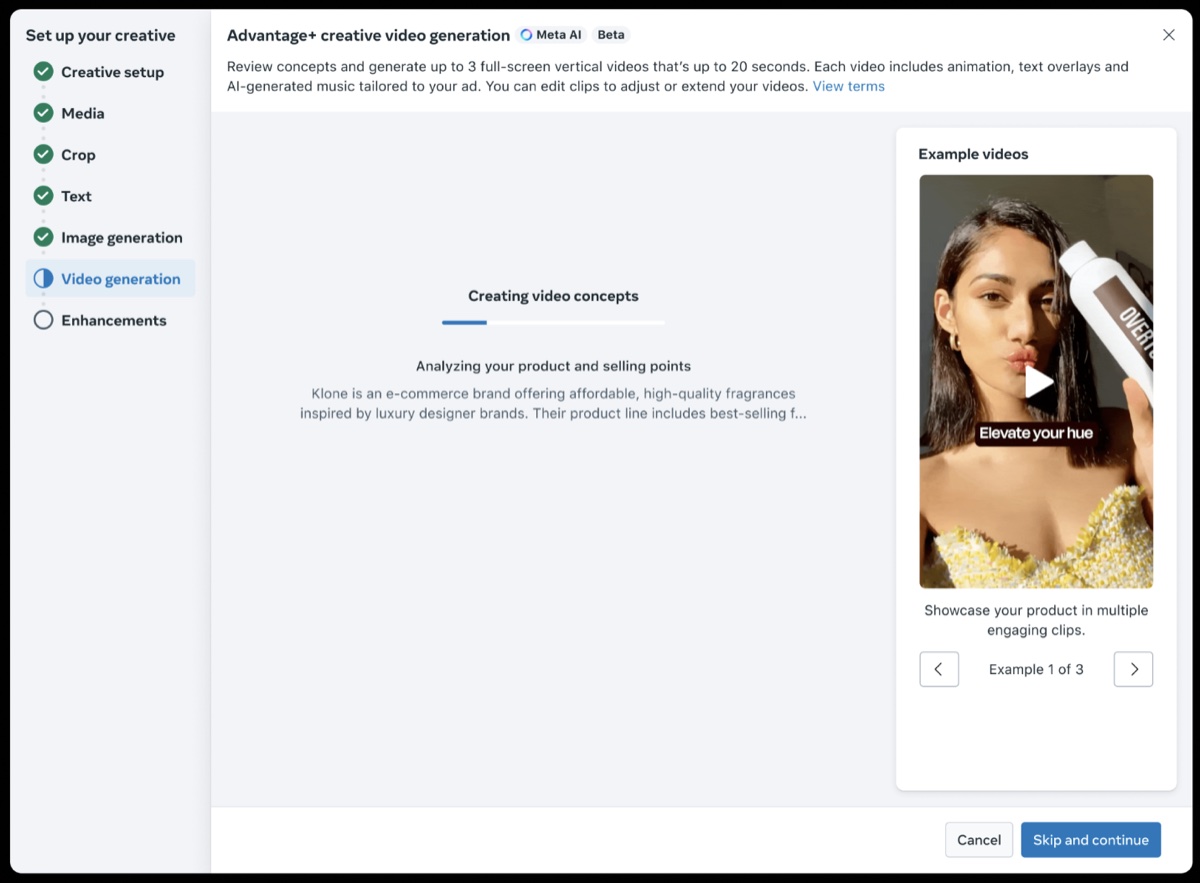
Loading screen: advertisers wait about 13 seconds before video concepts are generated.
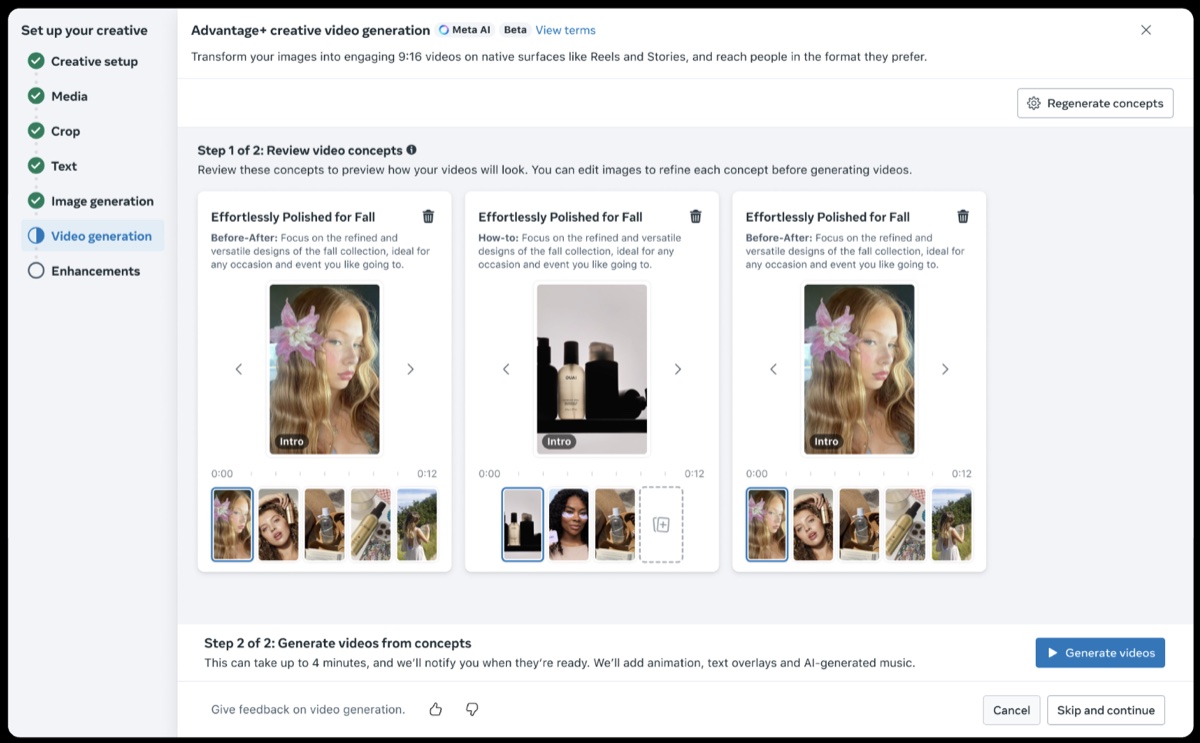
Post-loading screen: advertisers browse through 3 video concepts and select the ones they want to generate into videos.
Problems
For advertisers
- The loading screen didn't give advertisers enough information to understand the value of the product, and they didn't know what types of videos they'd get. It followed a standard Ads Manager pattern, so no one had questioned it.
- Advertisers couldn't tell the difference between video concepts. Concept names were vague headlines like "All-day comfort" and "Effortlessly polished for fall," which didn't clearly communicate what kind of video it was.
For the business
- 82% of advertisers left before seeing a single video. Video generation was a big bet, and its biggest leak was at the very top of the funnel. Advertisers weren't getting far enough to see its value.
Goal
Get more advertisers to generate videos, without lowering how many adopt generated videos in their campaigns.
Key decisions
1. Turn the loading screen into a preview experience
- We had 13 seconds of attention and were spending it on a 3-stage spinner. We turned the loading screen into a short pitch instead.
- I wrote four message directions, each aimed at a different advertiser worry. We tested the two strongest: ease and variety.
Direction Advertiser problem Headline Ease It's too much effort to make a video Transform your images into high-performing videos with one click Variety My ads feel stale Generate diverse videos inspired by high-performing ads Creative flexibility One ad doesn't work for everyone Reach more people by showing each viewer what works best Mixed media I'm missing out on reach from video ads Adding AI-generated videos to this ad set can increase conversions
2. Show real output
- We also decided to show example videos in the loading screen. They were real output, so advertisers would expect what the product actually makes. If we oversold, they'd feel misled the moment their own videos generated.
- We picked six examples across video narratives (product demo, promotion, lifestyle) and industries (apparel to electronics).
- We also set up the test to separate what the words did from what the examples did. It varied three things: the message, whether to show examples, and whether the examples scrolled automatically to capture attention.
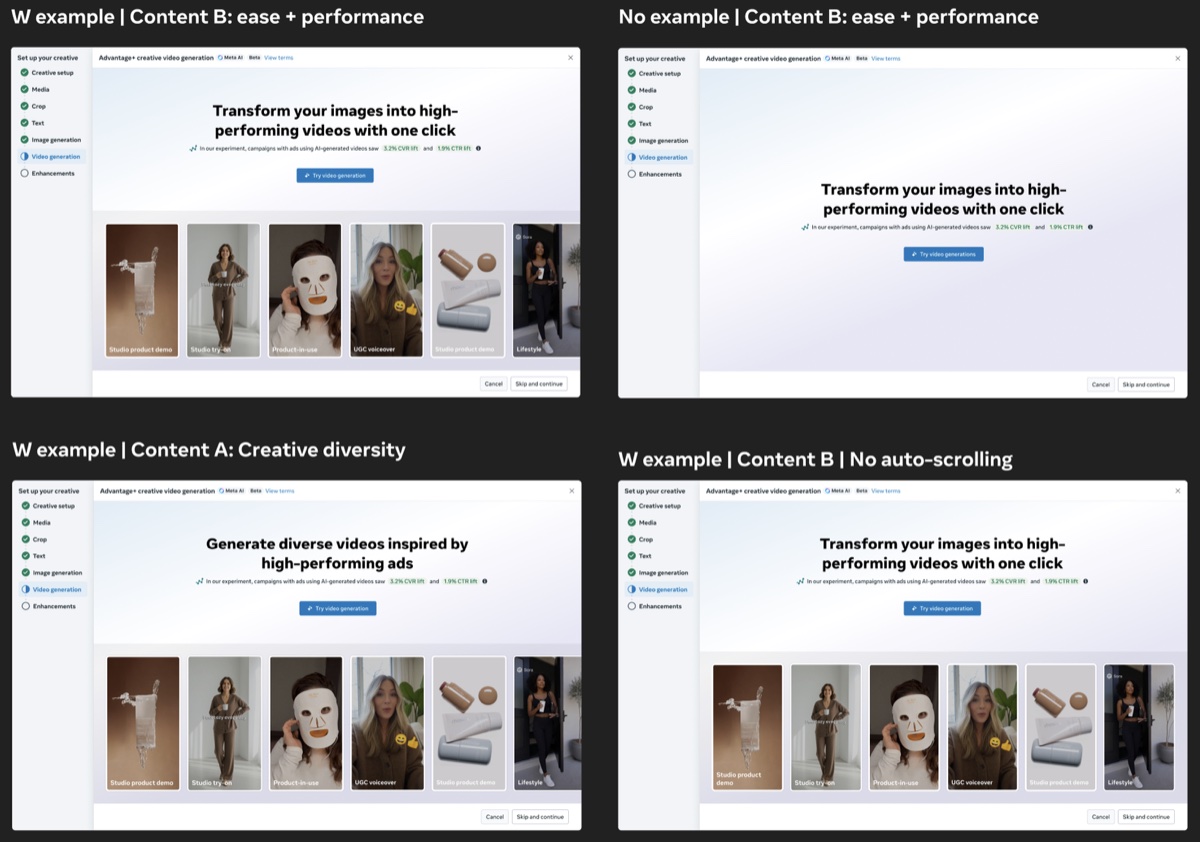
Test variants.
3. Name video concepts by the story they tell
- The concept cards are where advertisers choose the videos they want to generate, but the cards looked alike. I outlined three ways to rename them:
Option Examples Key risk Visual style Studio, UGC Style words are too broad and may confuse advertisers Video ingredients Avatar, voiceover, text Differences feel too small to matter Video narrative Problem-solution, Product demo Advertisers must read a label to see the difference - I proposed video narrative. A "problem-solution" video feels truly different from a "product demo," and it matches advertiser mental models for how they think about video ad creative.
- I named and defined eight narratives, like "Promotion," "Before/After," and "Brand story." Each had to be short, plain, and work for any industry.
- These became the top label on every concept card and on the example videos in the loading screen.
Outcomes
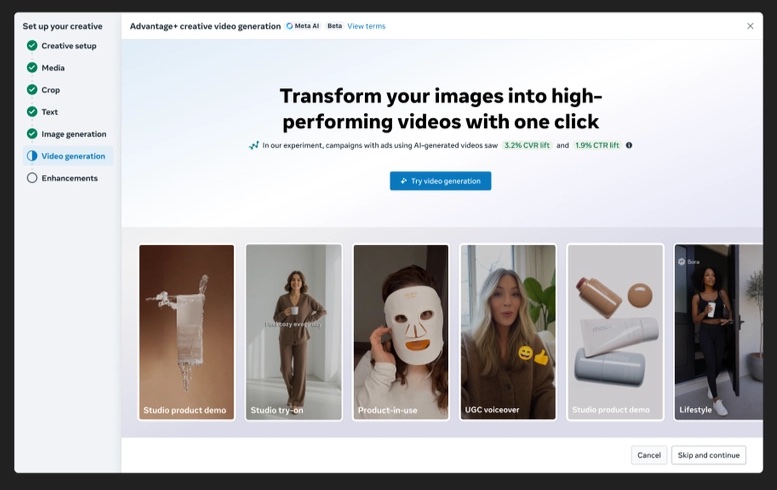
Launch variant.
- The winner was the "Ease" message, with real examples that advertisers could browse at their own pace. Clicks to generate videos rose 44% and overall adoption rose 67%.
- The biggest gains came from advertisers who used to leave within 3 seconds. They were about half of all ad accounts.
- This loading experience became the new design standard for loading screens for other AI products, like image generation.
Peer feedback
"He delivered intuitive and scalable changes to product messaging based on feedback."Product Manager
"Nikhil is a great partner, imparting solid understanding of detailed experiences without going on at length or in depth."Product Designer
"He grounds his decisions on content patterns, frameworks based on research and has a strong rationale for what principles the team should keep in mind as we move forward long-term for video generation."UX Researcher